
This article explains how the User/AI Activity Report in Historian - Issue History for Jira can be used to see the contribution your AI agents made to your Jira work items, which can be used as an input for AI ROI calculations.
The report lists human users, AI agents, and apps in rows. It shows how many work items each of them created, updated, resolved, transitioned, or commented on during a selected period. This lets you see the activity of your AI agents and compare it with the activity of your team.
Business Need
Your organization is investing in Jira AI agents to support your team’s work. AI agents create, update, transition, and comment on work items alongside your team members.
You want to see how much AI agents contribute to your work items, so you can evaluate the AI ROI.
Challenges
Jira records the changes AI agents make in each work item’s history (Just like it does for any human user), but it does not summarize how much each AI agent has contributed. Going through work item histories to count the activities of each AI agent is time-consuming, and without this information, it is difficult to evaluate the value AI agents bring.
Solution
The User/AI Activity Report in Historian - Issue History for Jira can do this.
The report asks you to enter a valid JQL to select the work items to inspect and a date interval.
Given these parameters, the report processes all the histories of those work items and prepares a list report. The report shows each user and AI agent as a row. Each column shows how many times the user or AI agent performed a specific activity.
Step 1: Configure the Report
-
Open the Historian User/AI Activity page (Apps → Historian - Issue History for Jira → User/AI Activity).
-
Select the work items you want to analyze using the Basic Filter or the JQL Filter.
-
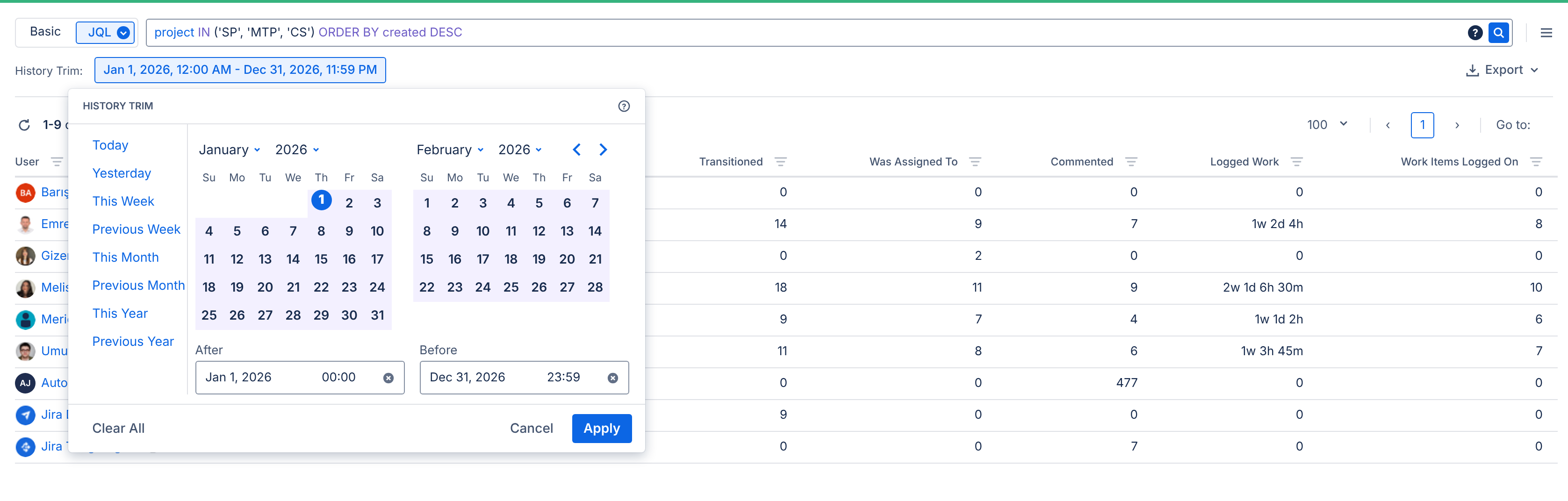
Set the History Trim to the period you want to analyze.
Step 2: Review the Report
Once the report is generated, review the rows of your APP/AI agents alongside those of your team members.
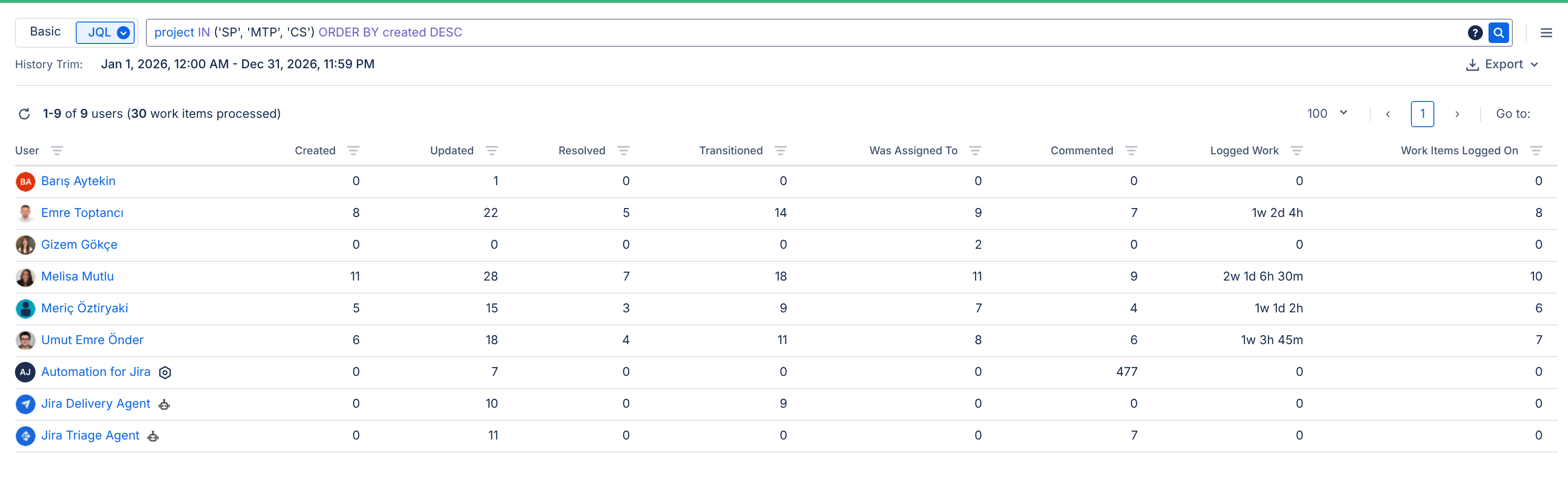
Each row shows the activities of a user, AI agent, or app during the selected period.
If an AI agent acts on behalf of a user, Jira records its activities under that user, so they are reported as the user’s activities. Only activities of an AI agent acting as itself are reported under the AI agent.
Drill Down Report
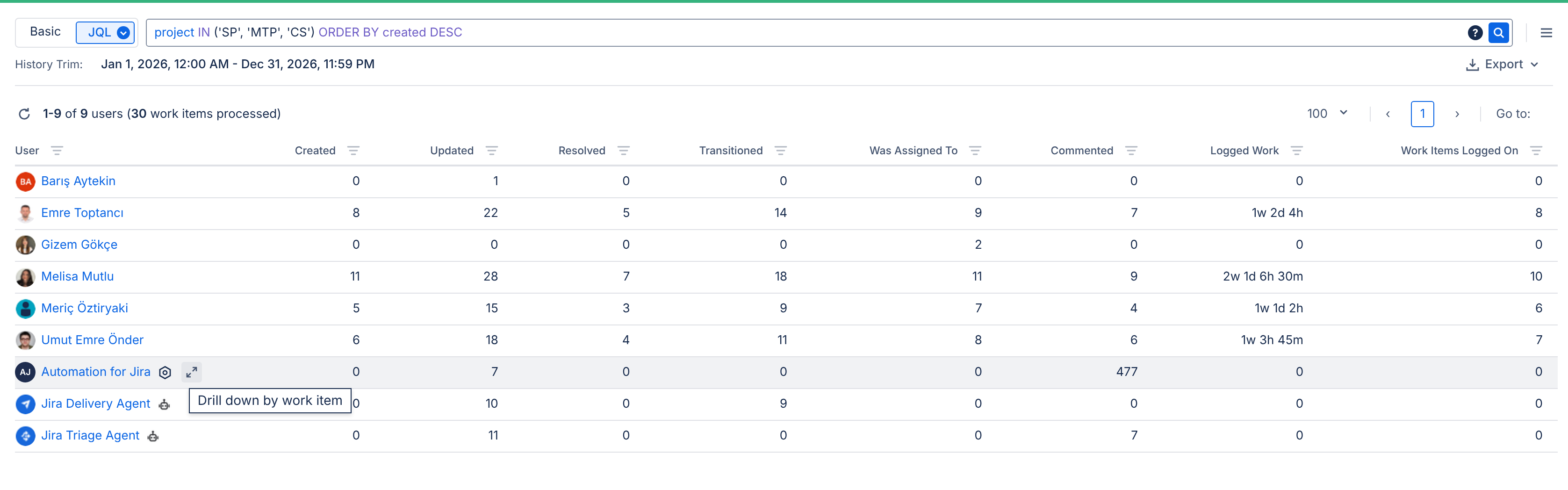
To see which work items an AI agent worked on and what it did on each of them, click the Drill Down icon in the AI agent’s row.
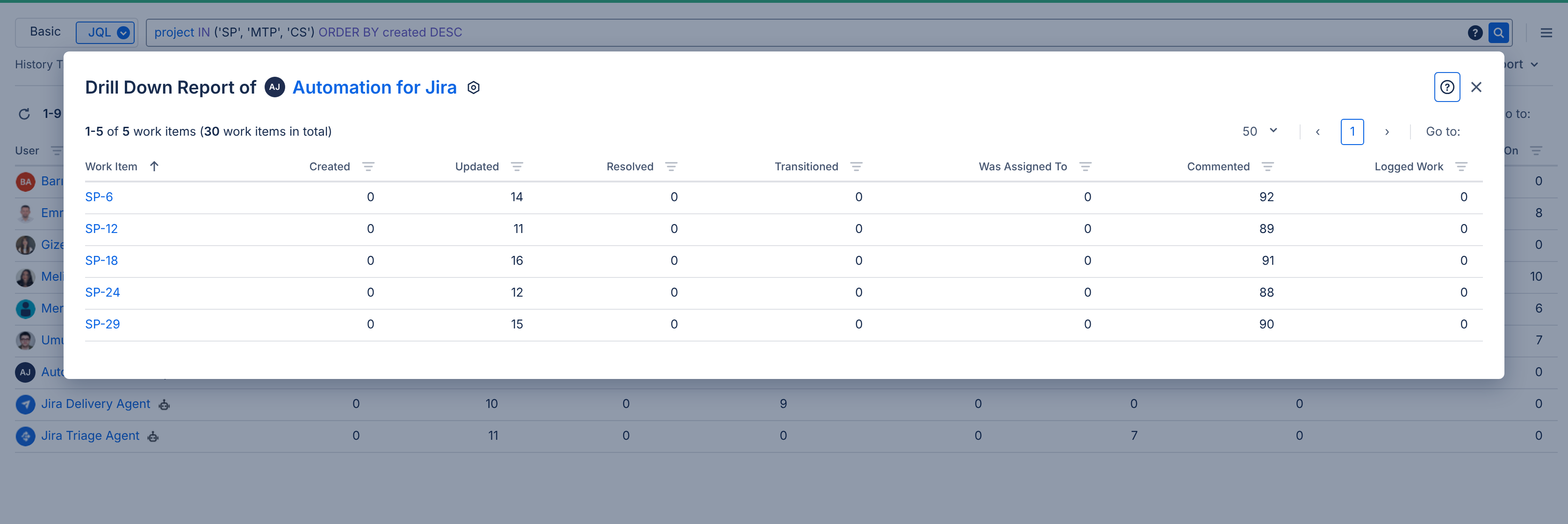
You can click a column header to sort the table by that column, or click the filter icon next to a column header to filter by that metric. You can also export the report in XLSX or CSV format.
This helps you see how much each AI agent contributes to your work items, compare their activity with that of your team members, and use this data when evaluating your investment in AI agents.
For more information about this report, see User/AI Activity Report.