Listeners
Each listener listens to Jira issue events, such as issue updates, issue moves, issue creation, or issue linking, and synchronizes selected field values to target issues.
-
SOURCE Issue: The issue on which the field update or Jira event occurs.
-
TARGET Issue(s): The issue or issues selected by the listener to receive the synchronized field values.
On the listener configuration screen, you choose the source issues, the target issues, and the fields to copy.
Listener Types
Field Sync for Jira Cloud provides two unified listener types:
-
Parent-Child Listener: Synchronizes field values between parent and child issues across Jira Cloud hierarchies. This includes Sub-task, Epic-Story, and multi-level Jira Plans (formerly Advanced Roadmaps) parent-child relationships.
-
Linked Issue Listener: Synchronizes field values between Jira issues connected through standard Jira issue links, such as Blocks, Relates to, and Clones.
You can create multiple listeners of each type, each with its own configuration.
Configure Listeners
To access Field Sync settings in Jira Cloud:
-
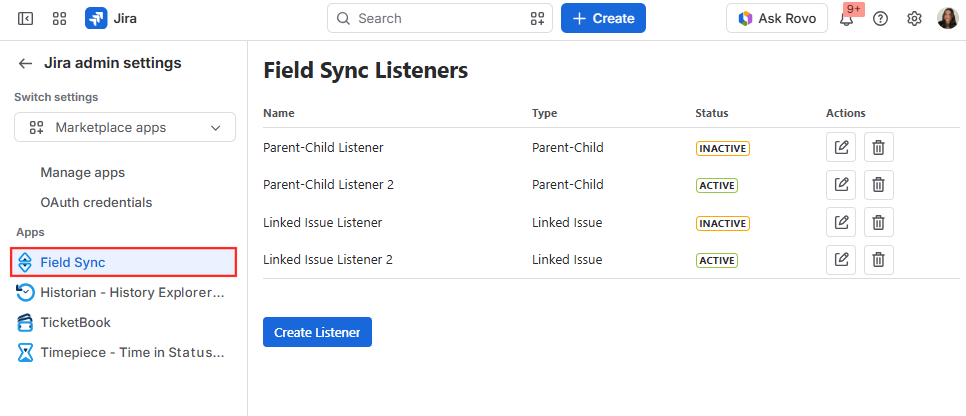
Navigate to Jira admin settings > Apps under Marketplace apps.
-
Select Field Sync from the left sidebar.
Manage Listeners
-
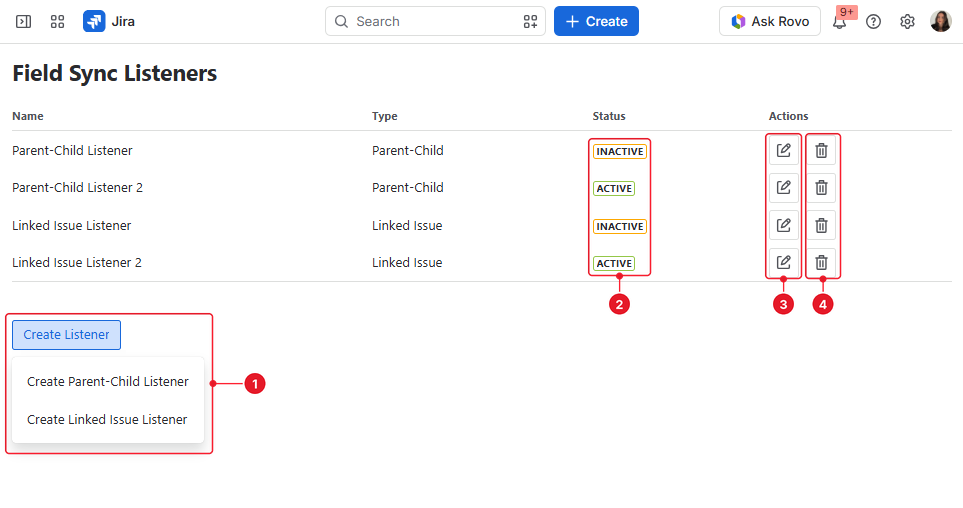
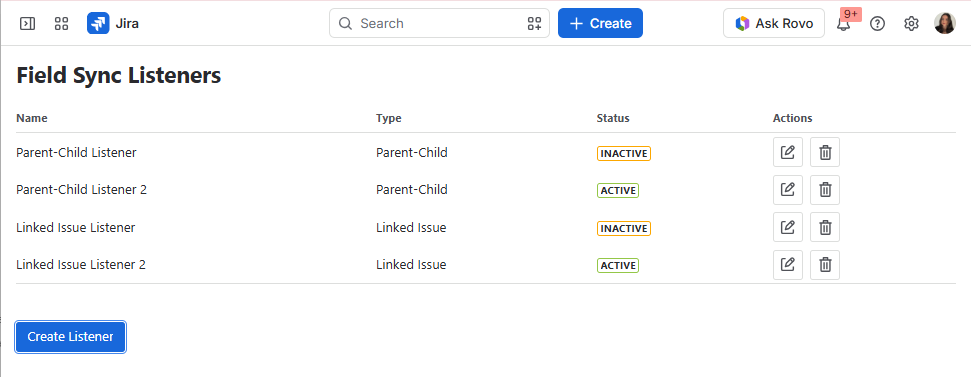
To Create a Listener: Click the Create Listener button, then select either Create Parent-Child Listener or Create Linked Issue Listener from the dropdown menu.
-
To Activate / Deactivate: Open the listener configuration modal and toggle the Listener Active switch on or off.
-
To Edit a Listener: Click the Edit (pencil) icon under the Actions column next to the corresponding listener.
-
To Delete a Listener: Click the Delete (trash bin) icon under the Actions column and confirm the deletion in the pop-up modal.