
The Columns panel is available in Any Field Reports (Duration, Count, and Time-Period reports), allowing users to select the columns to be displayed in the report. This panel also supports creating Consolidated Columns by combining multiple value columns into a single column.
Since Any Field reports allow multiple fields to be selected as History Fields, the columns of the report might be built based on their value combinations. The Columns panel also allows the user to make selections based on these combined values.
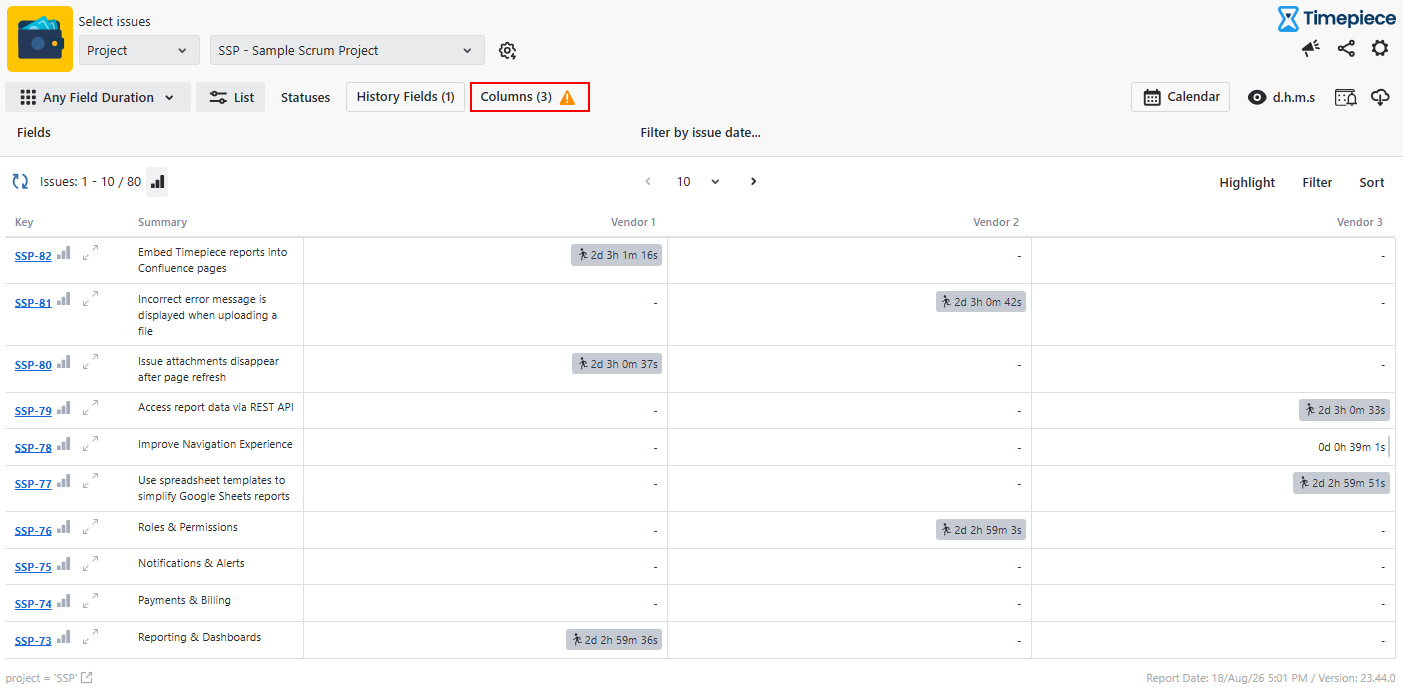
Column
The values of the selected History Field can be selected as columns, and the selection directly determines the columns displayed in the report. Depending on the report type, the selected columns represent field values or combinations of field values and time-periods.
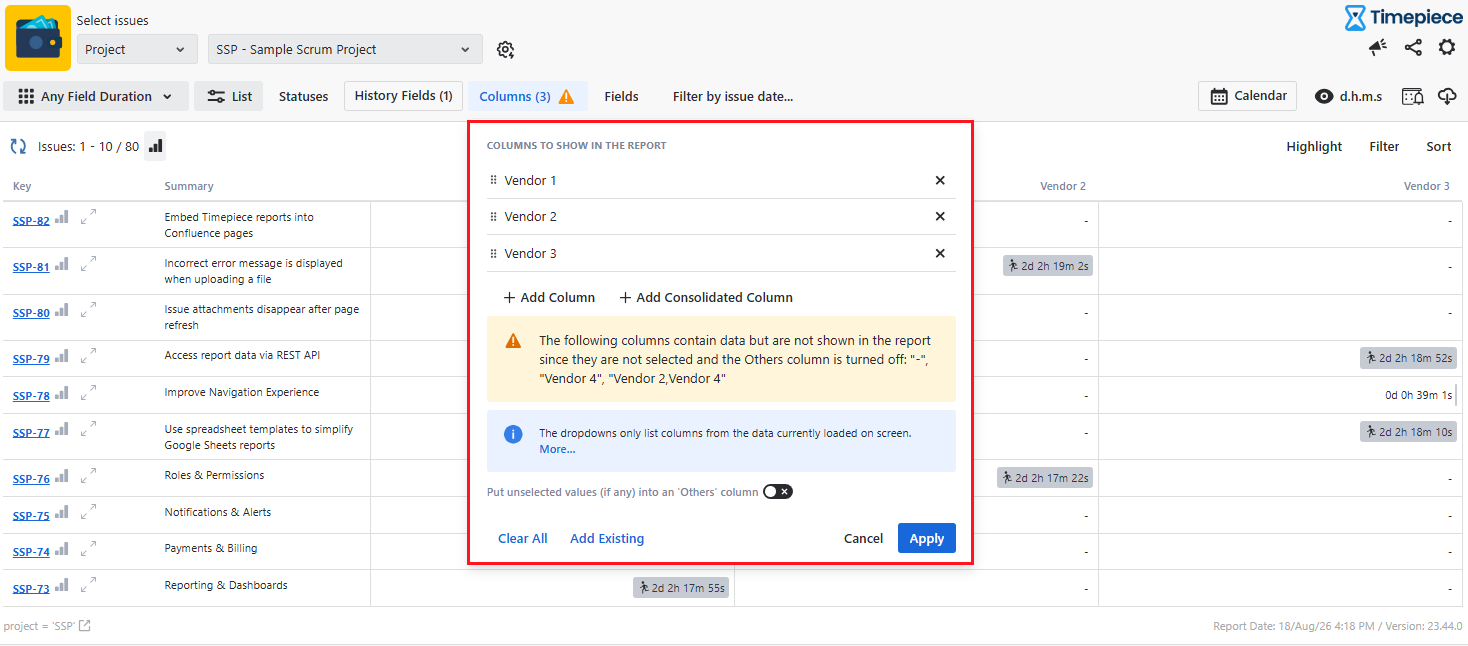
Consolidated Columns
Consolidated Columns allow multiple columns to be combined into a single column, with the total duration of the included columns shown as one value. Multiple consolidated columns can be added to the report, and the same column can be included in more than one consolidated column.
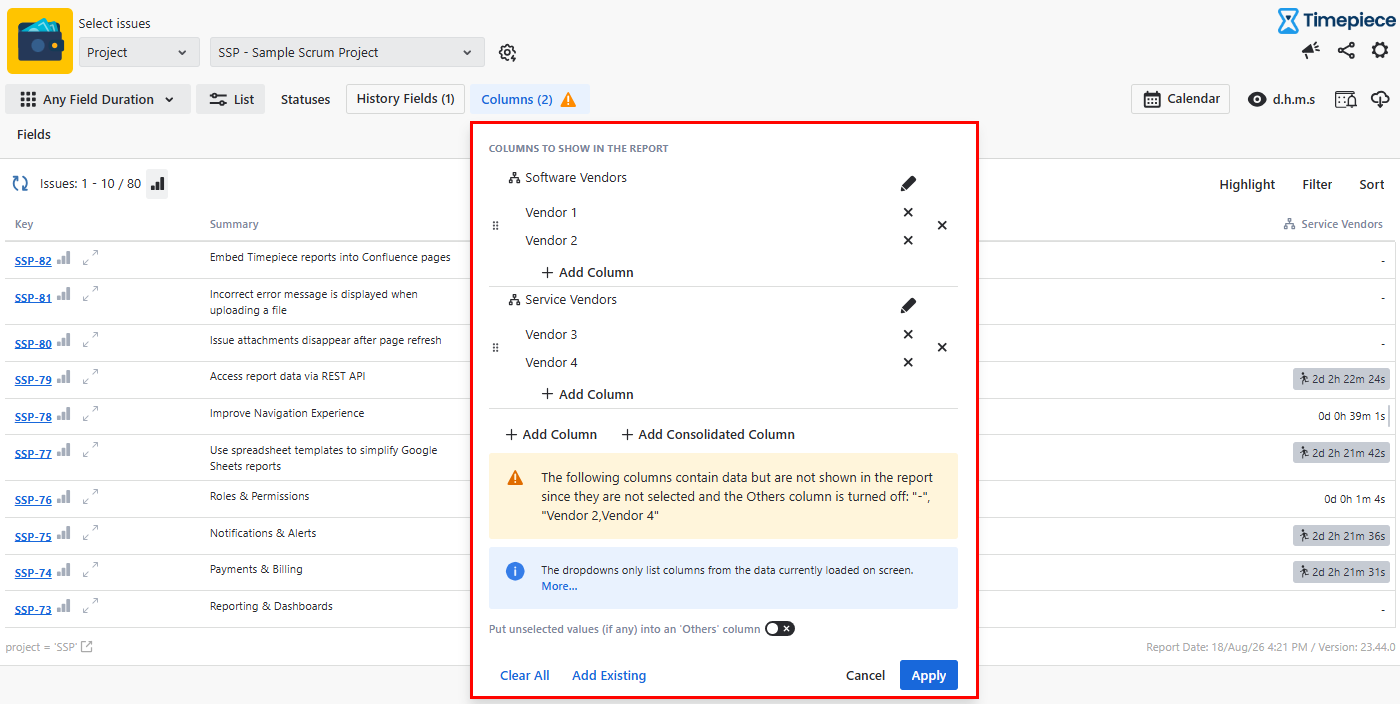
Column Configuration
The column dropdowns only display columns available in the data currently loaded on the screen. If other columns exist in the full dataset but are not available in the dropdown, you can either enter the column name manually (honestly, this may be really hard depending on your field values) or switch to an aggregate report, such as Sum or Average. Aggregate reports process the entire dataset and make all available columns accessible, even when viewing the first page. After configuring the columns based on the whole dataset, you can switch back to the List report.
The “Put unselected values (if any) into an 'Others' column” option allows you to group all unselected field values into a single “Others” column. When enabled, the duration of the unselected values is combined and displayed under Others.
The warning message, indicated by the yellow exclamation icon, lists the field values that contain data but are not selected to be displayed in the report. When the Others column is disabled, these values are excluded from the report.
If no columns or consolidated columns are selected, Timepiece treats all available field values as selected and includes each field value present in the current page of the dataset as a column in the report.
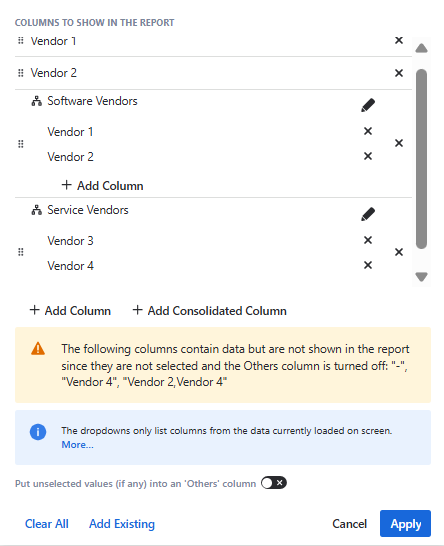
In gadgets, column and consolidated column values are not displayed as selectable options and must be entered manually. The entered values must exactly match the corresponding Jira field values. Alternatively, the column configuration can be saved as a Parameter Set on the main reporting page and then applied to the gadget.