This article describes how to measure how long Jira issues spend at each level of a tiered support organization, using the GROUP DURATION report of Timepiece - Time in Status with Jira user groups such as Level 1 and Level 2. The report shows time per group in separate columns, including time assigned to users outside the selected groups and time left unassigned, and can be viewed as averages or sums grouped by any field. This shows where escalations pile up and whether first-line resolution is actually working, which is what staffing and training decisions depend on.
Business need
Let's presume ...
You are using Jira for support operations.
You have multiple levels of support teams. If users in Level 1 cannot resolve an issue they escalate it to Level 2 and so on.
You need to see the duration issues spend on Level 1 and Level 2 teams.
Solution
The GROUP DURATION report type of Timepiece can be utilized for this purpose.
You should...
-
Create user groups named Level 1 and Level 2 on your Jira system.
-
Place users of support teams to the user group of appropriate level.
-
Open Timepiece reporting page.
-
Select the project in which the support issues reside (or set any other filter to get the issues to report on).
-
Switch to GROUP DURATION report.
-
Click on the Groups button
-
Select the groups Level 1 and Level 2.
-
Click Apply.
-
-
Select your business calendar if you defined one.
-
Select the appropriate start and end dates.
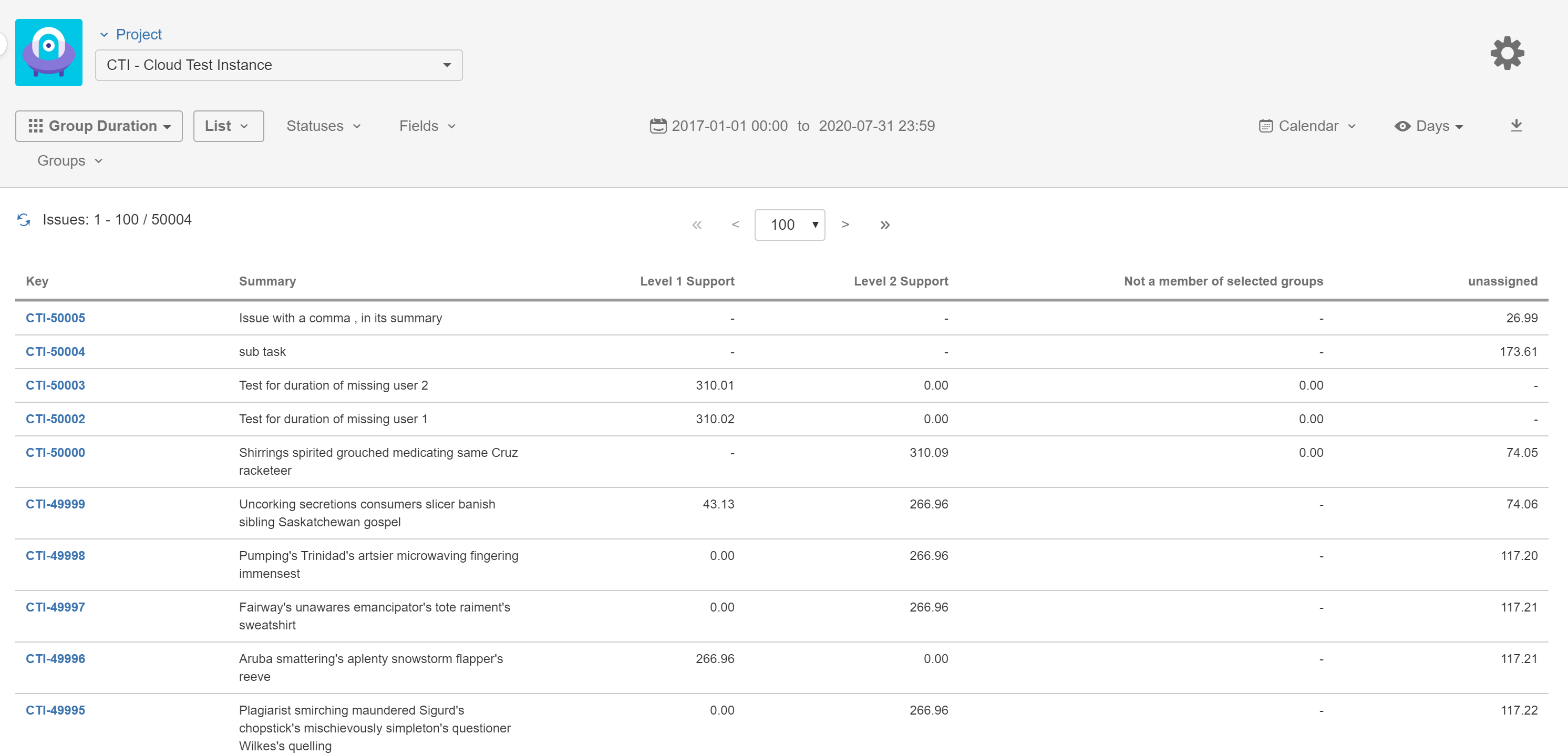
The report will show how much time each issue spent assigned to a member of Level 1 and Level 2 in separate columns.
The duration issues were assigned to a user not a member of any of the selected groups will be shown as a separate column and the duration issue were unassigned will also be shown as a separate column.
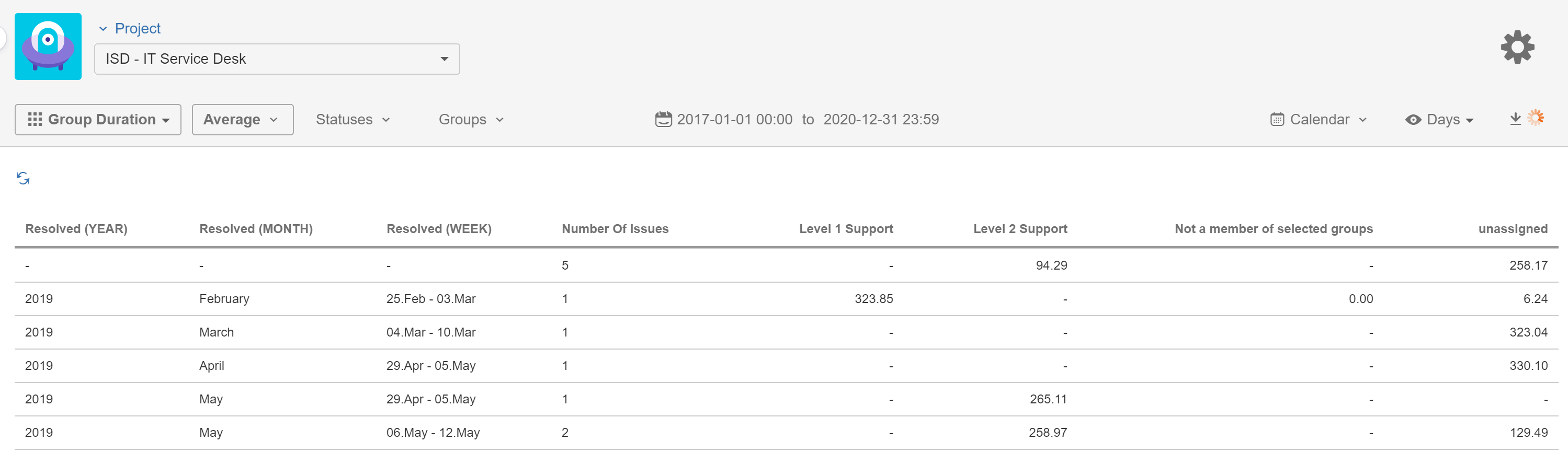
If seeing the Average or Sum of these durations are more suitable to your needs you should...
-
Click on the List button in the toobar.
-
Select Averages or Sum option.
-
Add any fields to the list if you want to group your issues.
-
Click Apply
(In this screenshot, you can see an Averages report where issues are grouped by the Year, Month and Week parts of Resolution Date)