
This article explains how to track how many times each Jira work item was blocked for each reason in each month using the ANY FIELD COUNT PER TIME-PERIOD report in Timepiece - Time in Status and a Block Reason custom field.
While the Any Field Duration per Time-Period report shows how long each work item was blocked for each reason in each month, this report shows how many times it was blocked. Counting occurrences helps identify work items that are repeatedly blocked, making it easier to recognize and address recurring impediments.
Business Need
Let's assume that...
Each of your Jira work items represents a task that needs to be completed. Sometimes, external factors prevent work from progressing.
When a work item is blocked, you transition it to the Blocked status and select the reason in a Block Reason field.
You want to see how many times each work item was blocked for each reason, broken down by month.
Challenges
Duration reports show how long work items were blocked, but not how many times they were blocked. Manually counting blockages from work item histories for each reason and month is time-consuming.
Solution
The ANY FIELD COUNT PER TIME-PERIOD report in Timepiece can be used for this purpose.
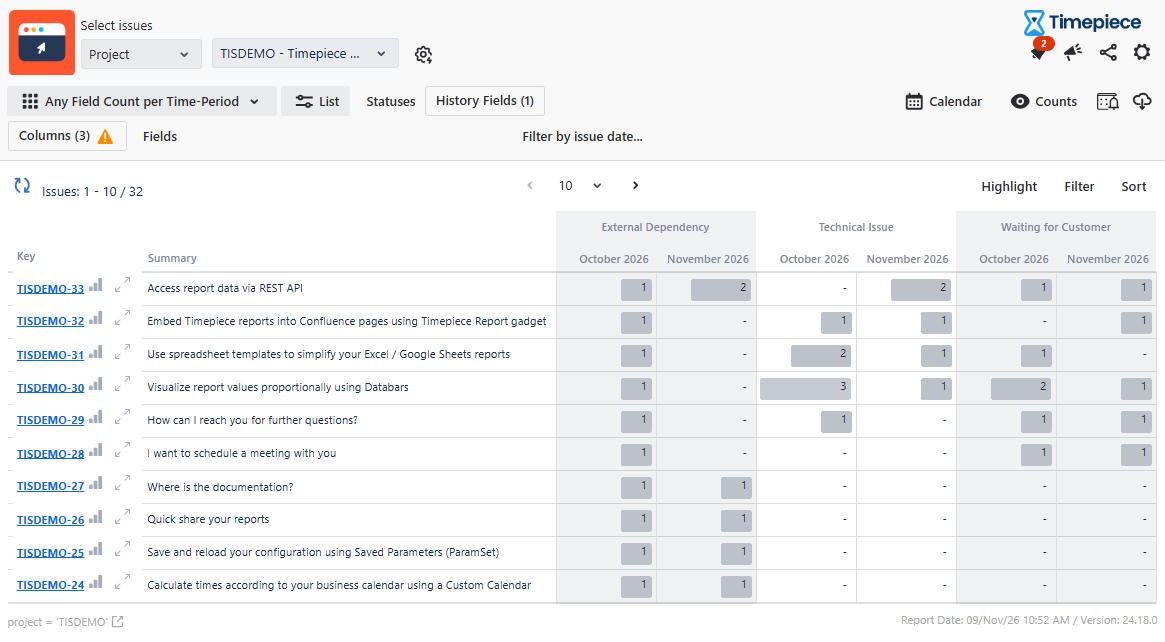
The report lists work items in rows, with combinations of Block Reason values and months as columns. Each cell shows how many times the corresponding work item held that Block Reason value during that month.
Step 1: Configure the Report
-
Open the Timepiece reporting page.
-
Select the project in which the work items reside.
-
Switch to the ANY FIELD COUNT PER TIME-PERIOD report type.
-
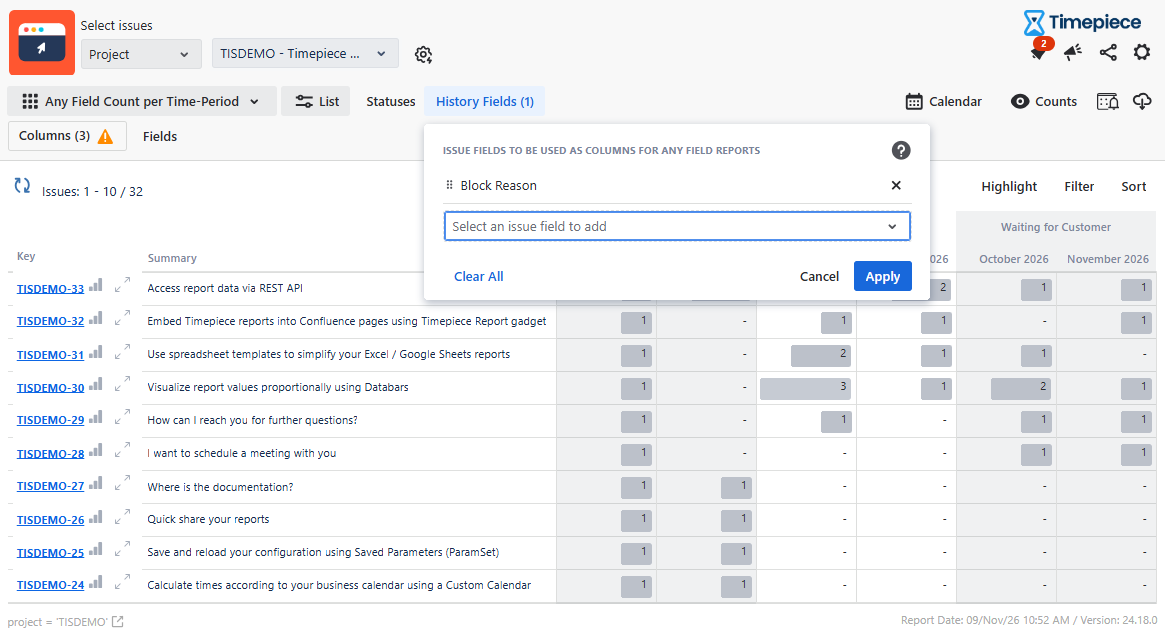
Click the History Fields button.
-
Select Block Reason as the History Field.
-
Click Apply.
-
-
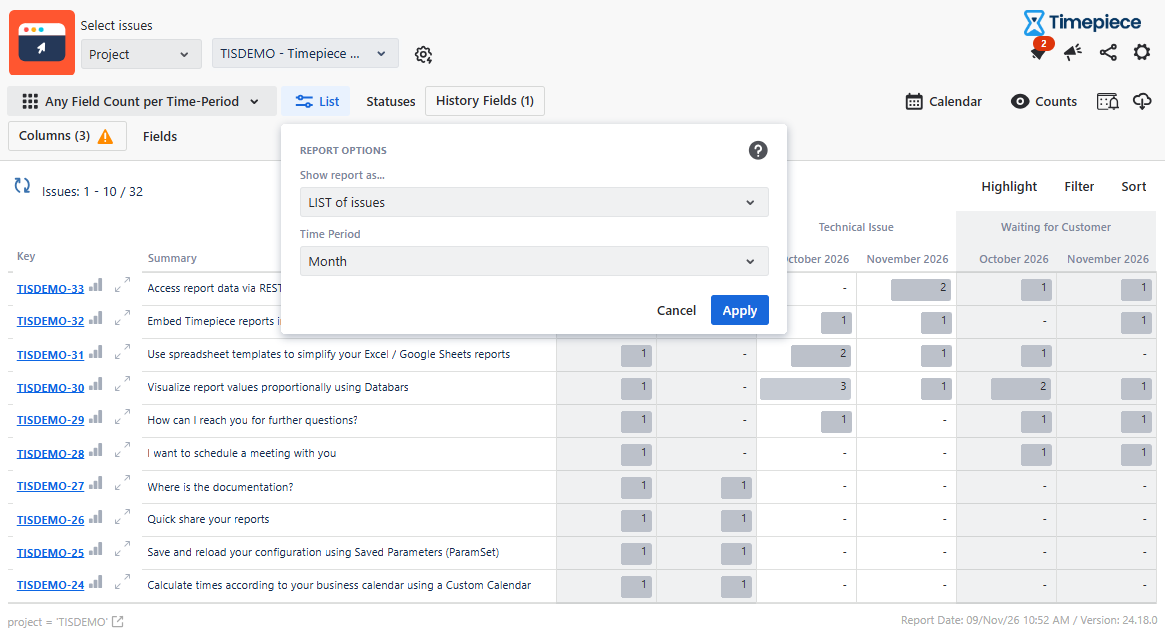
Click the List button.
-
Select Month as the Time Period.
-
Click Apply.
-
-
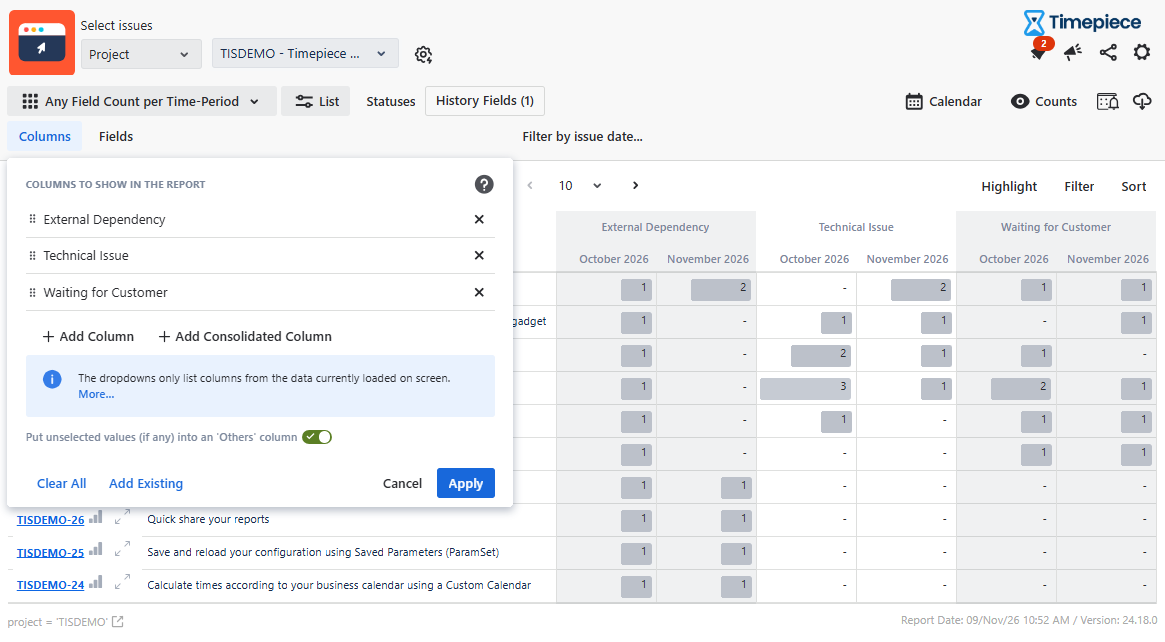
Click the Columns button.
-
Select the Block Reason values you want to include as columns. (You can leave this selection empty to include all available Block Reason values.)
-
Click Apply.
-
-
Set the start and end dates for the period you want to analyze.
Step 2: Review the Report
The report shows how many times each work item was blocked for each reason in each month.
-
If a work item was blocked for a particular reason during a month, the corresponding cell shows 1.
-
If the work item was unblocked and then blocked again for the same reason within the same month, the cell shows 2. Each additional occurrence increases the count by 1.
-
If a blockage continues into the following months, the work item shows 1 for each of those months as well, because it continued to hold that Block Reason value during those months.
This helps you identify work items that are repeatedly blocked for the same reason and see when these blockages occurred.
You can also switch to the Time-Period Count per Any Field report type to display the same data with months as the top-level columns, so that all Block Reason values for a given month appear side by side.
Additionally, if you want to see the total time work items were blocked for each Block Reason in each month, you can use the Any Field Duration per Time Period report.
For more information about this report type, see Report Types.